

Neezon · Shopify
Smarty Discounts
Configure product, order, shipping, Combine, and Buy X Get Y promotions in Shopify Admin—automatic discounts, a single code, or bulk codes. Checkout applies the discount when the cart matches your rules (no theme code required for the core flow).
Shopify Admin
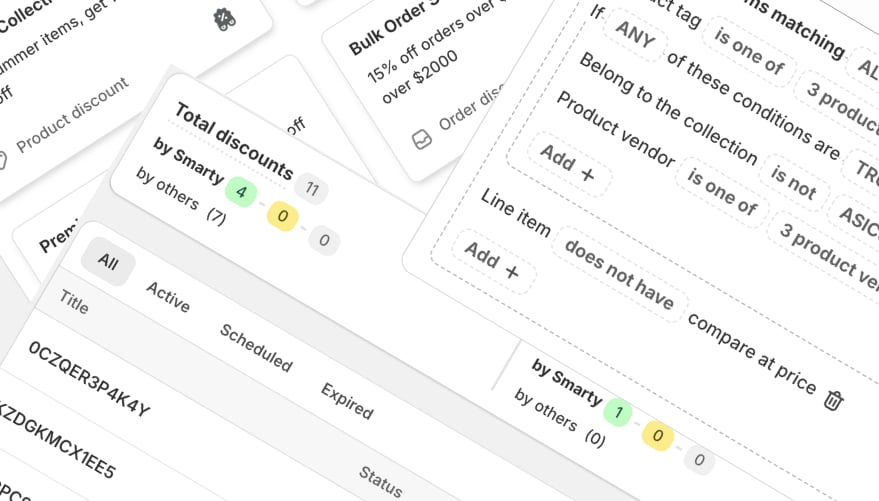
Discount list and editor
Shopify App Store
4.9 overall · 4 reviews
View listing and reviewsFigures reflect the public listing; they change as new reviews are added.
“We were looking for a simple way to set up an automatic discount rule for our B2B customers, and the app handled it perfectly - even on the free plan.”
William Henry · Shopify App Store review
“The only app that allows you to set the upper limit for your discount works perfectly for me.”
Zestro · Shopify App Store review
What it does
Methods, targeting, pricing, and checkout
Flow
Create, checkout, then iterate
Discount types
Pick the promotion that matches the sale
The create screen lists amount-off product, order, shipping, Combine, Buy X Get Y, mix-and-match bundles, discount code rejection, and related types (labels follow your Admin language).
Product
Line or catalog targeting, tiers, multiple value types.
From Free
Order
Cart-wide rules and exclusions.
From Free
Shipping
Shipping methods and address rules.
From Free
Combine discount
Up to three product tabs (product, Mix & match, Buy X Get Y or a gift), plus one order and one shipping discount, all in one Combine. Gifts are automatic only and can’t be used with a code or with Buy X Get Y. Each savings row can show a checkout message and stack in tab order with earlier savings (on by default). Product and order rows can use volume or tier breaks. You can set an optional maximum total per order (shipping excluded). Existing Combined discount v1 (legacy) discounts keep running, but you can’t create new ones. Docs
Pro
Buy X Get Y
Buy/get rules, gifts, tracked lines.
Mix & match set
All-or-nothing product combinations and set pricing.
From Free
Discount code rejection
Block specified codes when cart rules match, with storefront messages.
Which types you can enable depends on billing — Plans.
Pricing
Start free. Upgrade when you need more.
All charges are in USD. Paid plans include a 7-day free trial, and annual billing saves about 17% (roughly 2 months free). Lite is no longer sold. If you already have a Lite or older Pro charge, it stays in place until you update it. Promos and coupons can change what you pay. The Billing page inside Smarty is the source of truth for your shop.
Free
Start hereNo subscription. Core promotions for every shop.
- Product, order, shipping, and Mix & match
- 2 discount rules and 1 bulk code generation
- Product, customer, and location targeting
- Email support
Pro
Most popular7-day trial. Price follows your Shopify plan.
- Everything in Free
- Combine, Buy X Get Y, gifts, and code rejection
- Unlimited code rules (25 automatic) and bulk codes
- Full targeting, multi-currency, caps, and strategies
- Time periods and a free-shipping flag
- Priority support and early access
Pro price by Shopify plan
Basic
Starter, development, and pause
/ month
Grow
Grow and Retail
/ month
Advanced
Shopify Advanced
/ month
Plus
Shopify Plus
/ month
Annual billing is once a year and saves about two months. The Billing page in the app shows the price for your shop.
Install Smarty Discounts
Set up promotions in Shopify Admin, then read the docs or contact Neezon if you need a hand.